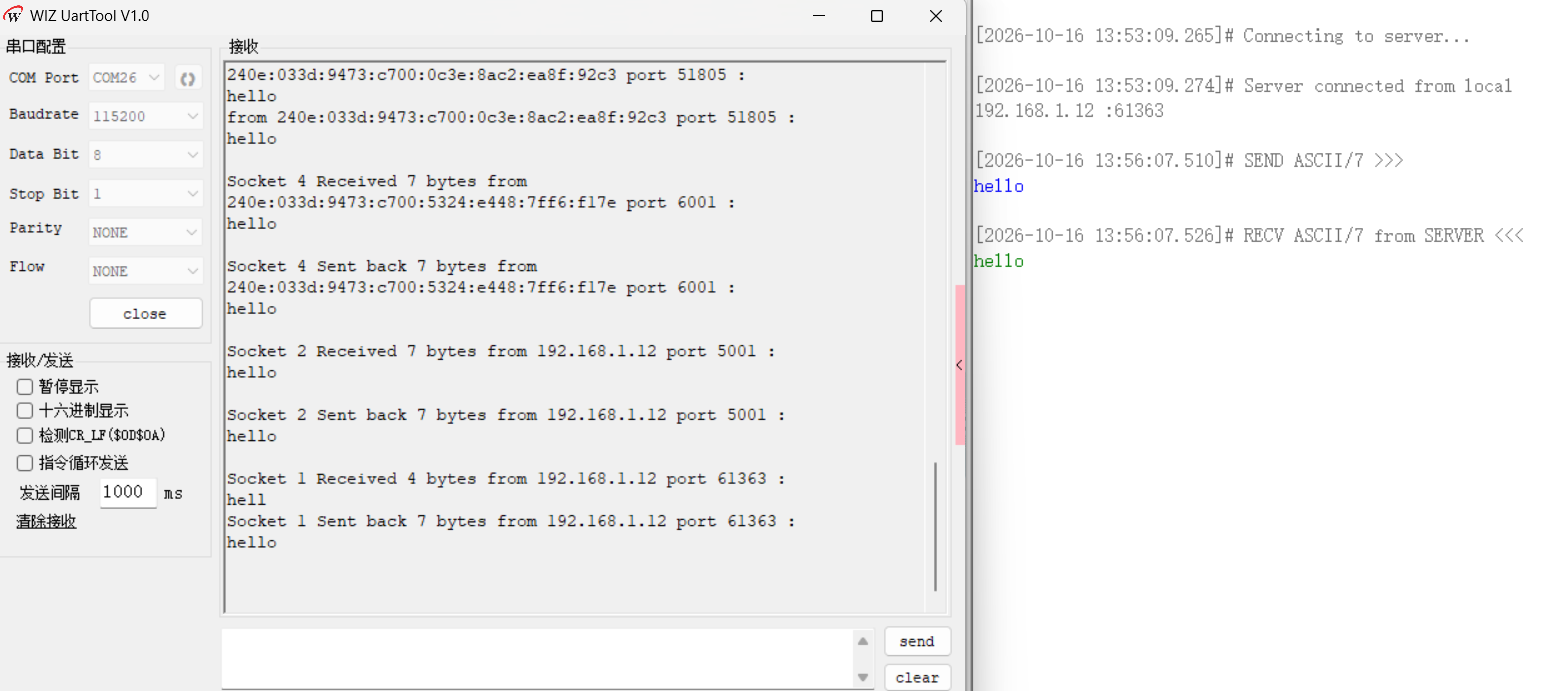
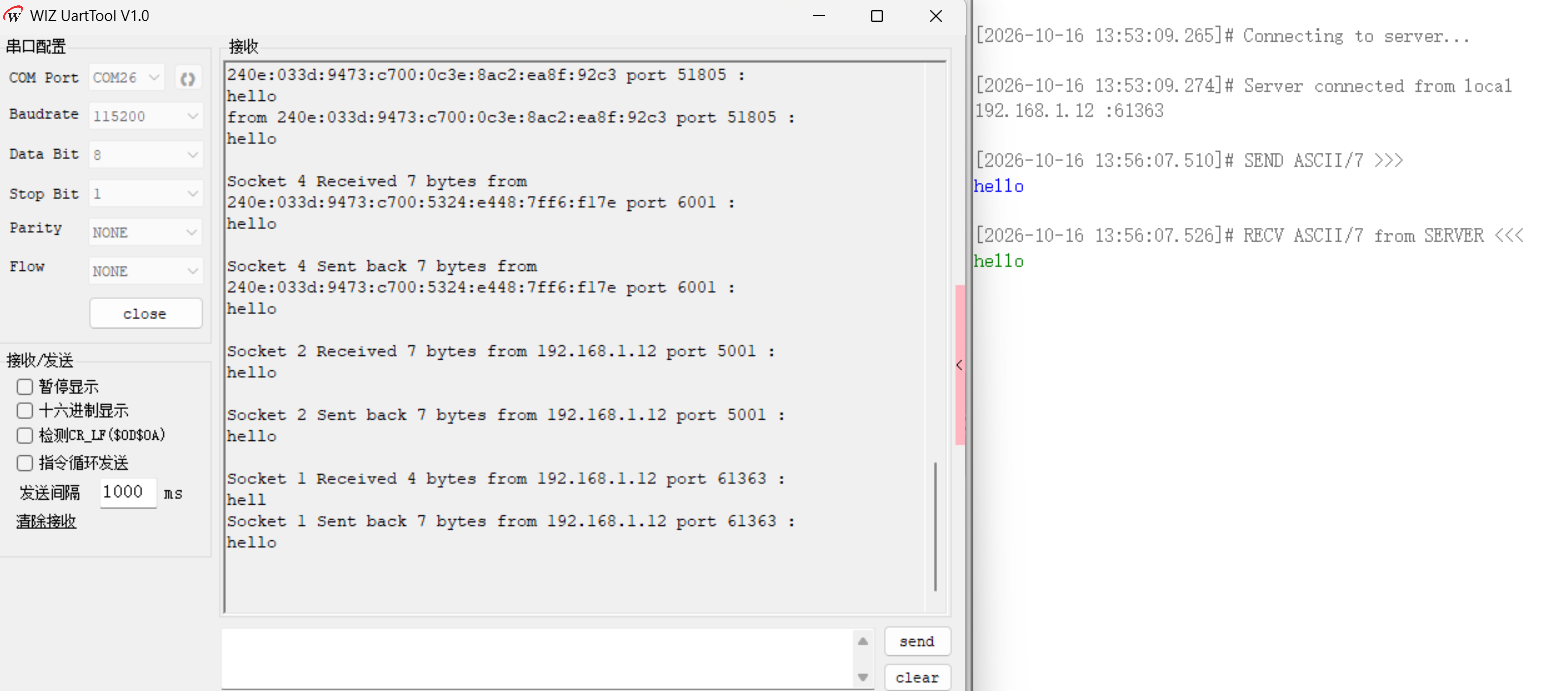
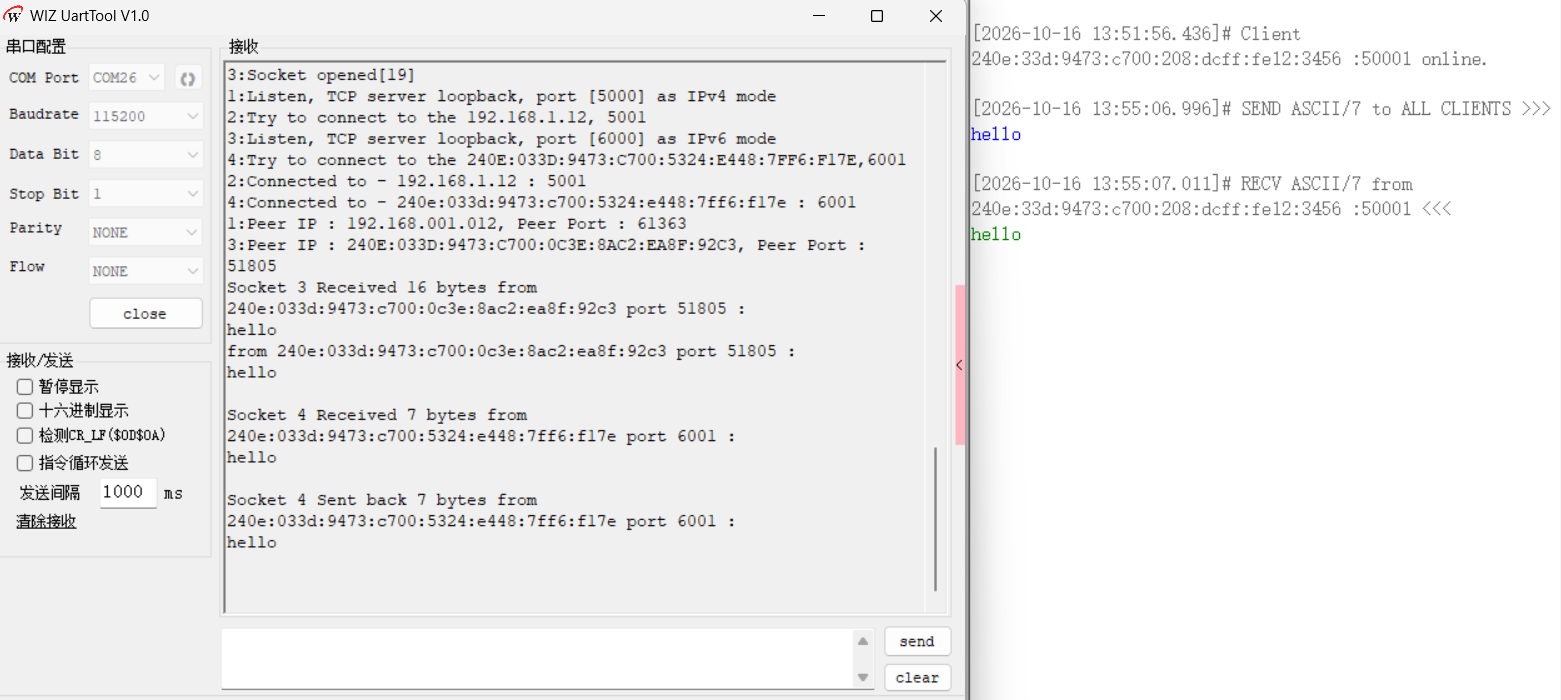
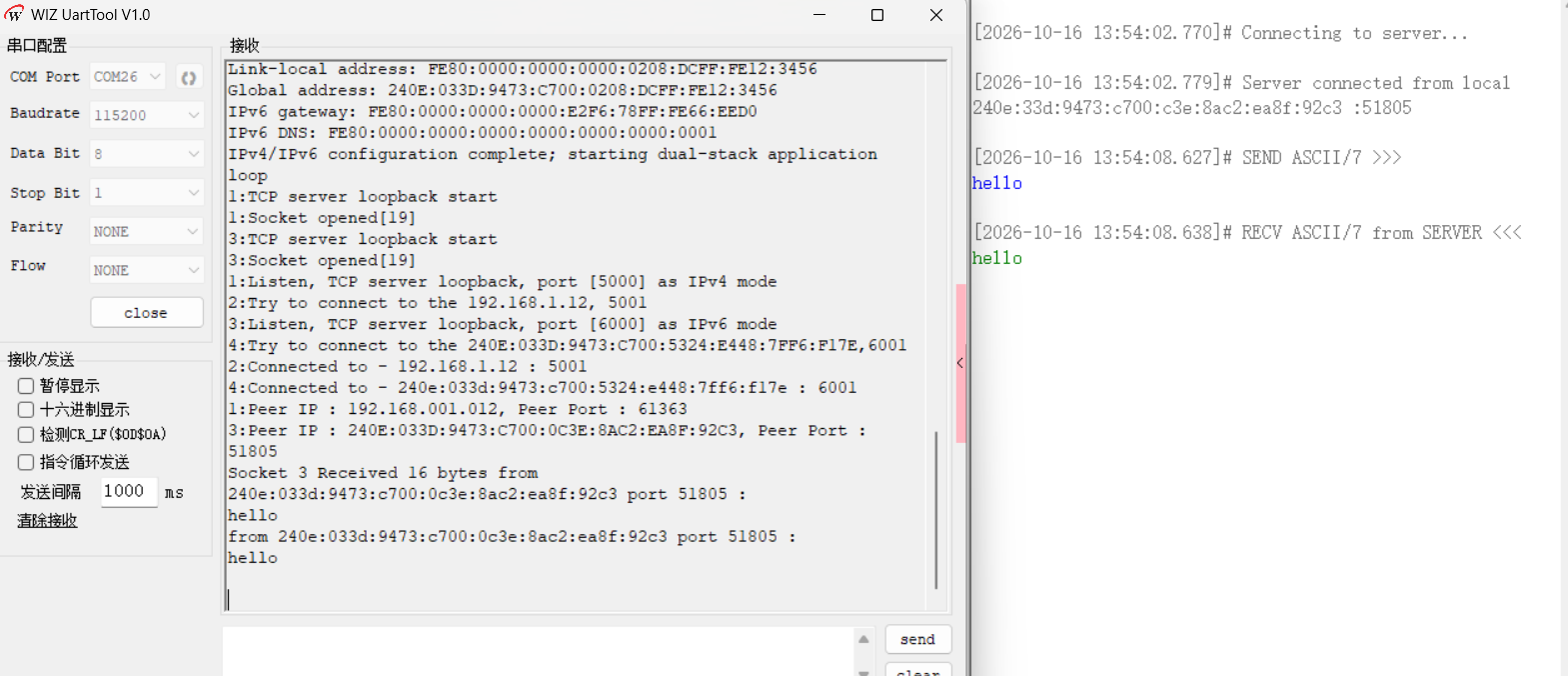
打开 WIZ UartTool V1.0,连接 DEBUG USB 对应 COM 口(115200 / 8N1)。烧录例程运行后,首先获取 IPv4 地址,然后执行 DAD 检测和 RA 解析,完成 IPv6 地址自动配置,最后启动四路 TCP。预期串口输出如下:
MH2457 W6300 QSPI example start
W6300 IPv4 / IPv6 Dual Stack TCP Client / Server example
PHY link
The current Mbtis speed : 100Mbps
The current Duplex Mode : Full-Duplex
DHCP running
DHCP success!
====================================================================================================
 W6300 network configuration : DHCP

 MAC         : 00:08:DC:12:34:56
 IP          : 192.168.1.8
 Subnet Mask : 255.255.255.0
 Gateway     : 192.168.1.1
 DNS         : 192.168.1.1
====================================================================================================

Duplicate_Address_Detection
Wait RQIR.....

Timeout !!! DAD SUCCESSED

flags = 0x80
Address_Auto_Configuration Start
RA capture mode : W6300 MACRAW
Sn_SR : 42
RA
type : 86
code : 0
RA_flag : 58
Router_lifetime : 1800 s
Reachable_time : 0 ms
Retrans_time : 0 ms
Option Type : 3, length : 32
Prefix Length : 64
Prefix Information Flag : c0
valid lifetime : 259200
preferred lifetime : 172800
Accepted first autonomous /64 PIO
Option Type : 24, length : 24
Option Type : 25, length : 24
DNS lifetime : 1200
Option Type : 1, length : 8
MO normalized result : 1
RA requests Stateless DHCPv6
Mac address : 00:08:dc:12:34:56
your Link Local IP is fe80:0000:0000:0000:0208:dcff:fe12:3456
your Global IP is 240e:033d:9473:c700:0208:dcff:fe12:3456
your Gateway IP is fe80:0000:0000:0000:e2f6:78ff:fe66:eed0
your DNSv6 is fe80:0000:0000:0000:0000:0000:0000:0001
Stateless DHCPv6 succeeded
Link-local address: FE80:0000:0000:0000:0208:DCFF:FE12:3456
Global address: 240E:033D:9473:C700:0208:DCFF:FE12:3456
IPv6 gateway: FE80:0000:0000:0000:E2F6:78FF:FE66:EED0
IPv6 DNS: FE80:0000:0000:0000:0000:0000:0000:0001
IPv4/IPv6 configuration complete; starting dual-stack application loop
1:TCP server loopback start
1:Socket opened[19]
3:TCP server loopback start
3:Socket opened[19]
1:Listen, TCP server loopback, port [5000] as IPv4 mode
2:Try to connect to the 192.168.1.12, 5001
3:Listen, TCP server loopback, port [6000] as IPv6 mode
4:Try to connect to the 240E:033D:9473:C700:5324:E448:7FF6:F17E,6001
排查步骤:1) 确认路由器支持并开启 IPv6,且发送 RA 公告;2) 确认 PC 和 W6300 在同一网段;3) 检查串口是否打印 DAD SUCCESSED 和 RA 解析信息;4) 若 RA 未收到,检查路由器 IPv6 配置和光猫是否将 IPv6 前缀委派给路由器;5) 程序在自动配置失败时不会启动应用循环,可根据串口提示定位问题。
排查步骤:1) 确认路由器支持并开启 IPv6,且发送 RA 公告;2) 确认 PC 和 W6300 在同一网段;3) 检查串口是否打印 DAD SUCCESSED 和 RA 解析信息;4) 若 RA 未收到,检查路由器 IPv6 配置和光猫是否将 IPv6 前缀委派给路由器;5) 程序在自动配置失败时不会启动应用循环,可根据串口提示定位问题。